Exprec
======
Exprec records your experiments so you can compare different runs and easily reproduce results.
* Track your experiments for experiment comparison and reproducability
* Minimum setup: only two lines of code required
* Framework agnostic - works with any machine learning/deep learning framework
* Experiments are saved locally - nothing is saved in the cloud
Installation
------------
```bash
pip install exprec
```
Usage
-----
### Minimal example
```python
from exprec import Experiment
with Experiment() as experiment:
# YOUR CODE HERE
```
An experiment is recorded in the `with` statement. This includes recording the terminal output, the source code used and the packages that are installed at the time the experiment runs. You can also add parameters, scalars and images to the experiment (see below).
### Dashboard
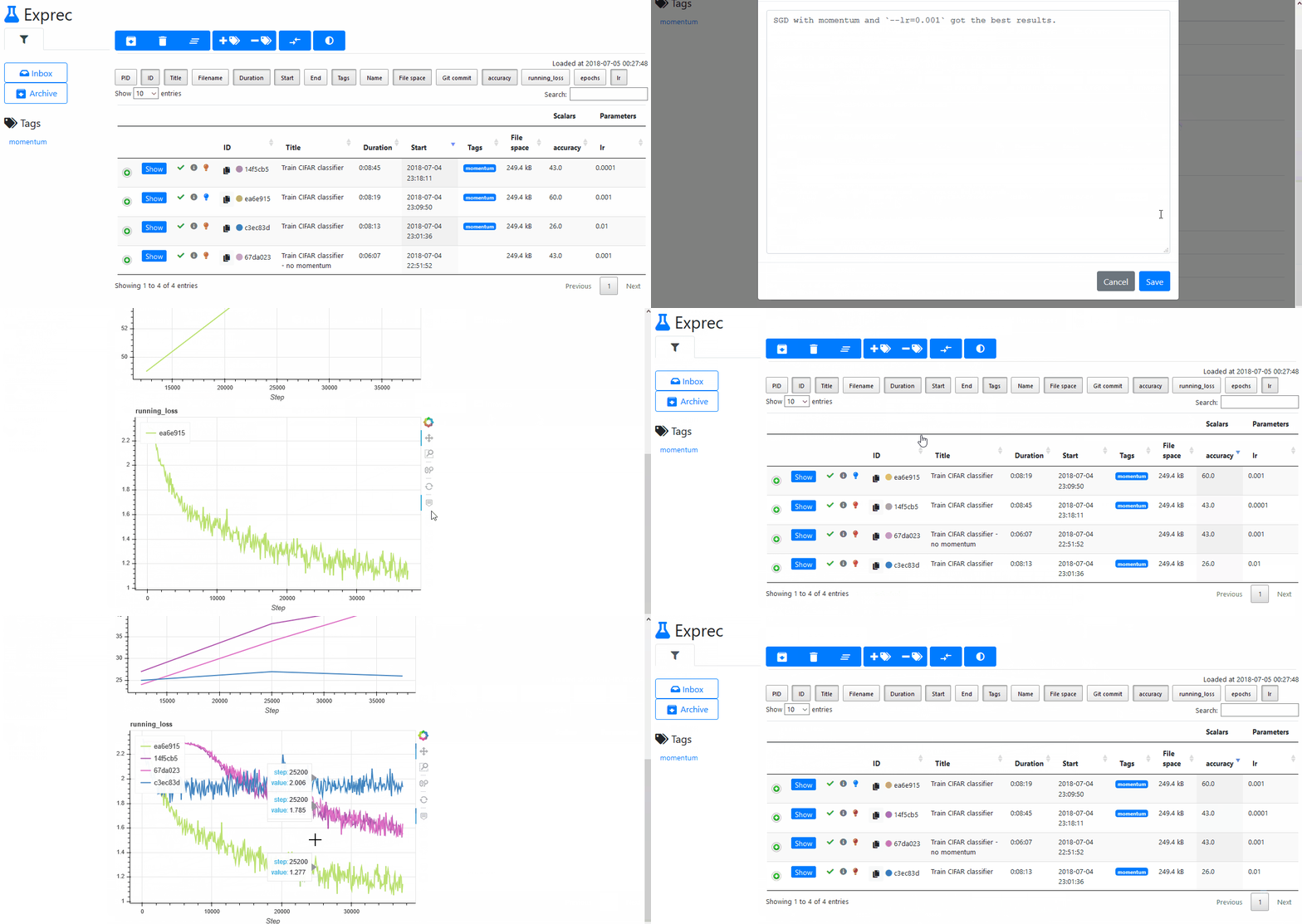
Run `exprec` in your terminal to start the dashboard. `exprec` has to be run from the same folder as you started your python script.
Now visit http://localhost:8080/ in your browser to see the dashboard. If the client and the exprec server run on different machines, set the flag `--host=0.0.0.0` when starting `exprec`. This allows any client with access to the server to see the dashboard.
### More code examples
```python
from exprec import Experiment
with Experiment(title='My experiment', tags=['tag1', 'tag2']) as experiment:
experiment.set_parameter('test_parameter', 5)
for i in range(10):
experiment.add_scalar('2x', 2*i, step=i)
experiment.add_scalar('3x', 3*i, step=i)
with experiment.open('filename.txt', mode='w') as fp:
fp.write('test\n')
# This creates a file in the experiment's folder (`.exprec/<experiment-id>/files/filename.txt`).
raise ValueError('Invalid value')
# The experiment will finish with status 'failed'. The exception is also logged.
```
Examples
--------
Scripts under `examples/` demonstrate how to use this package.
API
---
### Experiment
```python
Experiment(title='', tags=[], verbose=True, exceptions_to_ignore=['KeyboardInterrupt'], name='')
```
#### set_parameter
```python
Experiment.set_parameter(name, value)
```
Sets the parameter to the given value.
Only one value can be recorded per parameter. You can overwrite a previously set parameter.
#### add_scalar
```python
Experiment.add_scalar(name, value, step=None)
```
Records the scalar's value at a given step.
#### add_image
```python
Experiment.add_image(name, image, step)
```
Adds an image at a given step.
```
Args:
name (str): The name of the image
image: The image to save. Should either be a Pillow image, or a numpy array which can be converted to a Pillow image.
step (int)
```
#### open
```python
Experiment.open(filename, mode='r', uuid=None)
```
Opens a file in the experiment's folder.
```
Args:
filename (str): A filename or path to a filename
mode (str): The mode in which the file is opened. Supports the same modes as Python's built-in `open()` function.
uuid (str, None): A previous experiment's id. If given, it will look for the filename in the previous experiment's
saved files. Only supports 'r' mode when a uuid is given.
Returns:
A file object
```
Why "Exprec"?
-------------
Exprec is short for Experiment recorder.
License
-------
MIT License




